Sandbox
What is the Sandbox?
Through our Sandbox for the WhatsApp Business API, Positus provides full access to all resources using a demonstration number, so you can test your application in a development environment until you sign up for the service and your account is approved.To start using the WhatsApp Business API in production, you must sign up for the service and wait for your account to be approved by Facebook. But that does not mean you have to wait to start building your integration.
How do I activate my Sandbox?
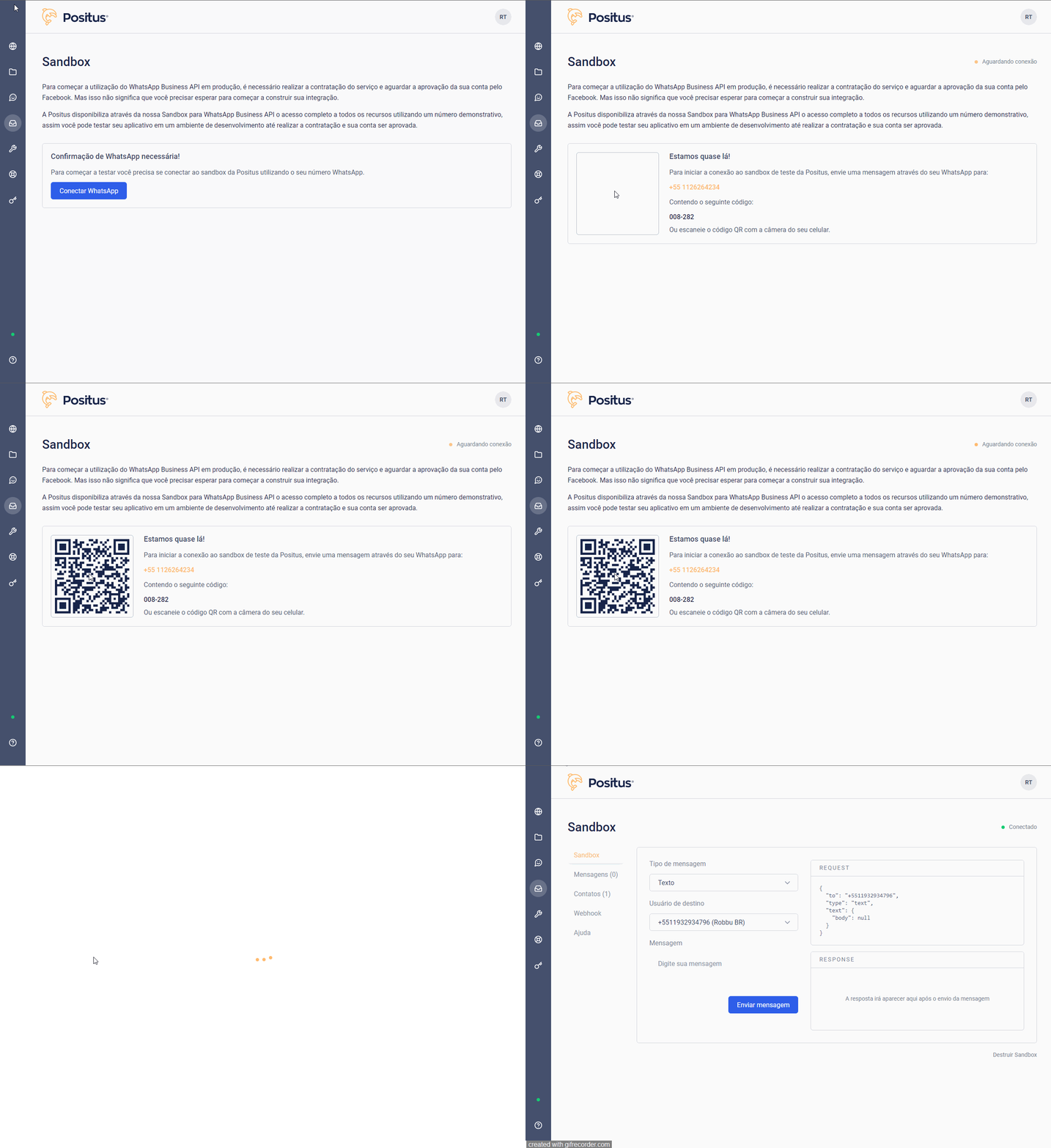
- Go to the “Sandbox” menu
- Open your phone’s camera
- Point it at the QR-CODE
- Your WhatsApp will open with a code in the text box
- Tap send message
- ✅ Done
How do I configure the webhook in my Sandbox?
Go to the “Sandbox” >> “Webhook” menu or https://studio.posit.us/sandbox/configuracoes, click the “edit webhook” button, change the URL, and then click the “Save” button.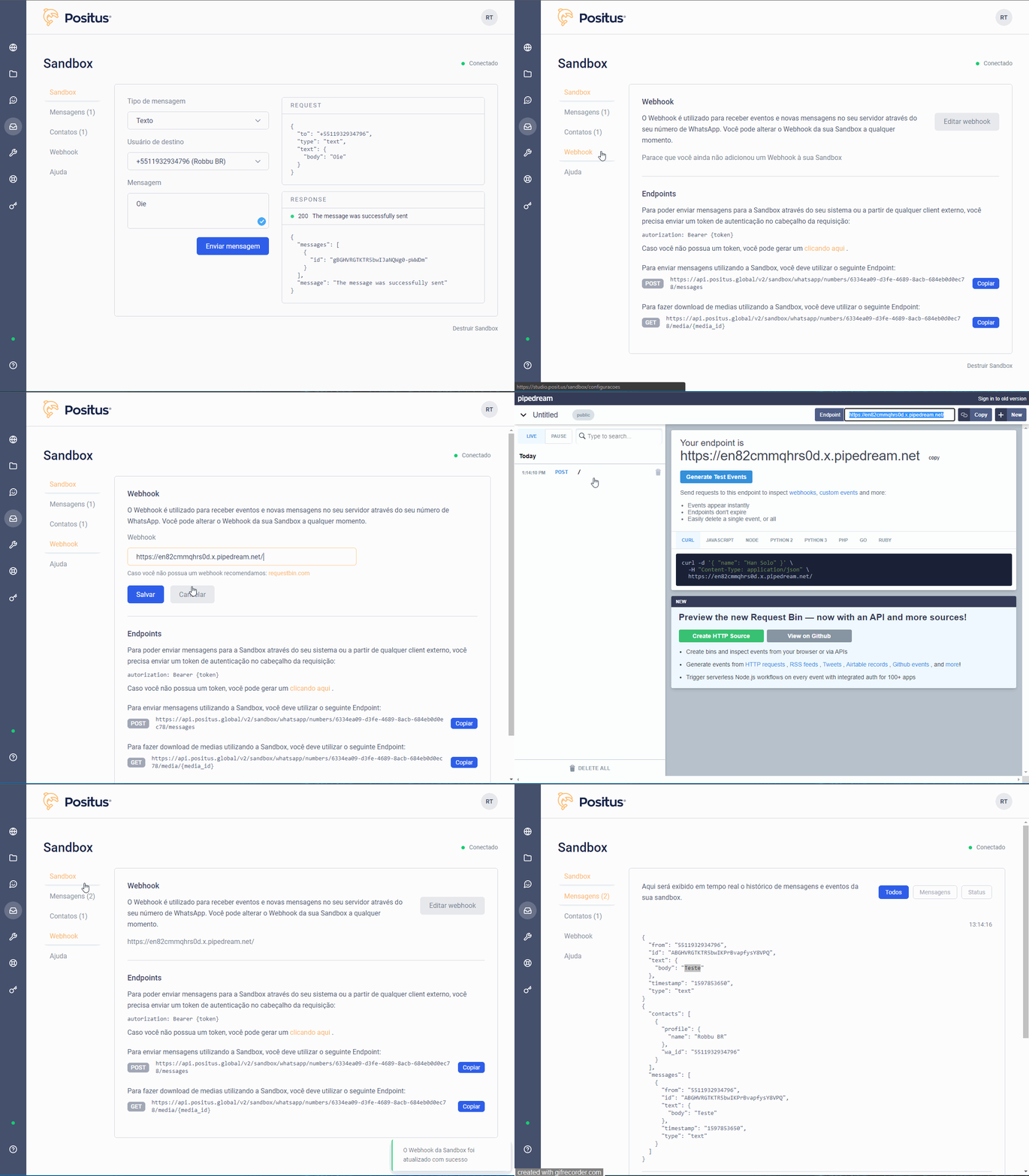
Can I use more than one Sandbox at the same time?
👎 No.Can I invite more people to my Sandbox?
👍 Yes! There is currently no limitation. Just share your Sandbox code.Your box code is available in the “Contacts” menu or through the link https://studio.posit.us/sandbox/contatos
Can I use the same token in the WhatsApp Business API and in the Sandbox?
👍 Yes!How do I destroy my Sandbox?
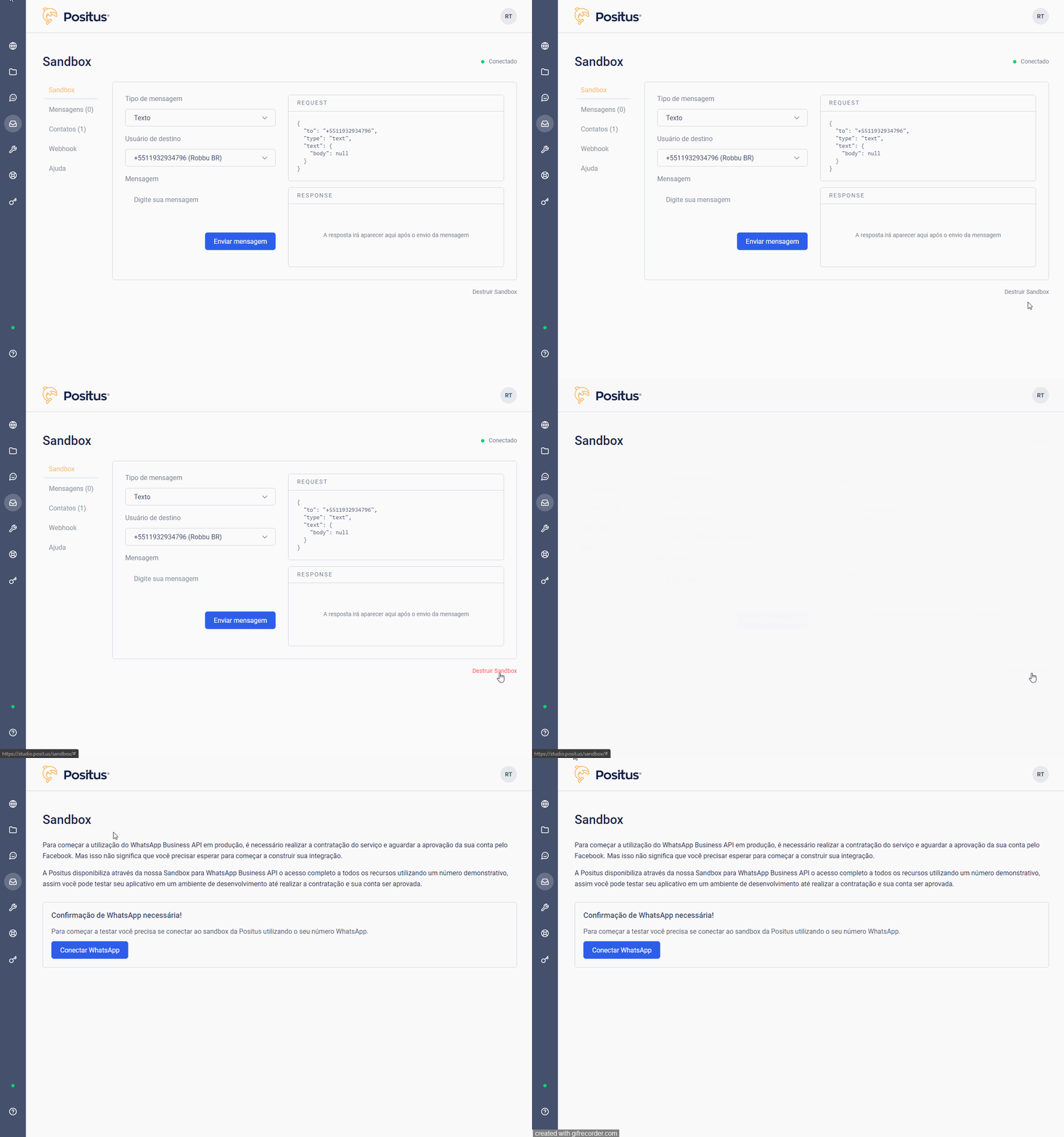
To destroy your Sandbox, send the message “!destroy” to the Positus number +551126264234 or go to the website https://studio.posit.us/sandbox/ and click the “destroy Sandbox” button.